Convert one photo with Paint
If the HEIF and HEVC extensions from Microsoft are installed (see how to open HEIC files on Windows 11), Paint can do a single photo.
- Right-click the HEIC photo, choose Open with, then Paint.
- Choose File, Save as, JPEG picture.
- Pick a name and a folder, then save.
This works well for one or two photos. It gets slow for a whole trip.
Stop making HEIC in the first place
On an iPhone, Settings, Camera, Formats, Most Compatible saves new photos as JPG. It does not convert photos you already have.
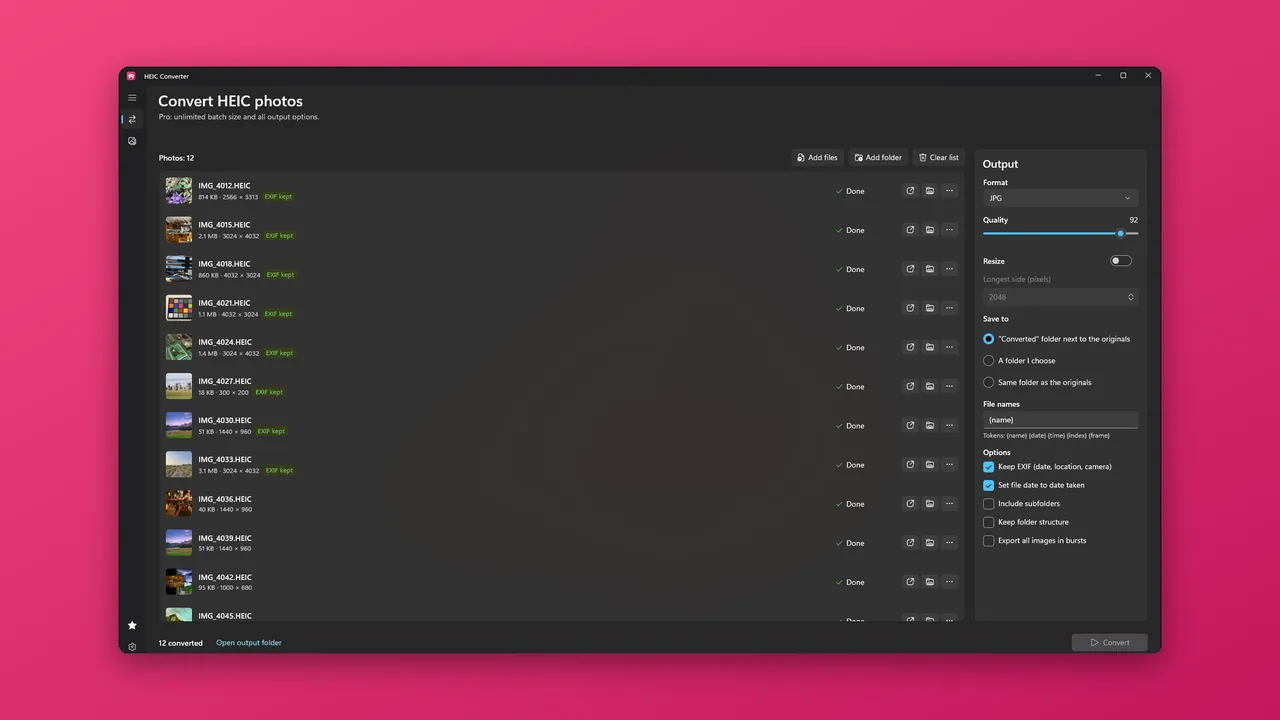
Convert many photos with HEIC Converter
HEIC Converter is a free Windows app from HAYAH. Photos are converted on your PC, offline.
- Install it from the Microsoft Store with the button below.
- Drop HEIC photos or a whole folder onto the window, or use Add files or Add folder. You can also right-click photos in File Explorer and choose Convert to JPG.
- Under Output, choose JPG or PNG.
- Choose where the copies go. By default they land in a Converted folder next to the originals, or you can pick another folder.
- Press Convert. Every file gets a result, and if one cannot be converted, the app tells you which one and why.
Your originals are never touched, and an existing file is never overwritten. The date taken, camera, orientation and location details are copied into the converted file, and the file date is set to when the photo was taken. Location data stays in the copy, just as it was in the HEIC, so remove it before sharing publicly if you prefer.
What is free and what is Pro
Free converts up to 5 photos per batch to JPG or PNG. Run another batch for the next five, or unlock Pro for unlimited batches, subfolders, WebP, TIFF and BMP output, quality, resizing and file-name patterns. Pro is a one-time $9.99 Lifetime Unlock or a $2.99 7-Day Pass that does not renew. There is no subscription.
Questions
Is it really free?
Does it work offline?
Is the photo quality kept?
Can I convert from File Explorer?
Will it delete my HEIC files?
More guides
Prices are in US dollars and may vary by market. The Microsoft Store shows the price for your country before you buy. Microsoft, Windows, Excel and Microsoft Store are trademarks of Microsoft; HAYAH is not affiliated with Microsoft or Apple.