
Windows app
HEIC Converter
HEIC to JPG, Viewer & Batch
Open and convert HEIC photos on Windows, from a single photo to whole folders. Photos are processed on your PC and never uploaded.
- Free to download
- No ads, no accounts
- Photos never uploaded
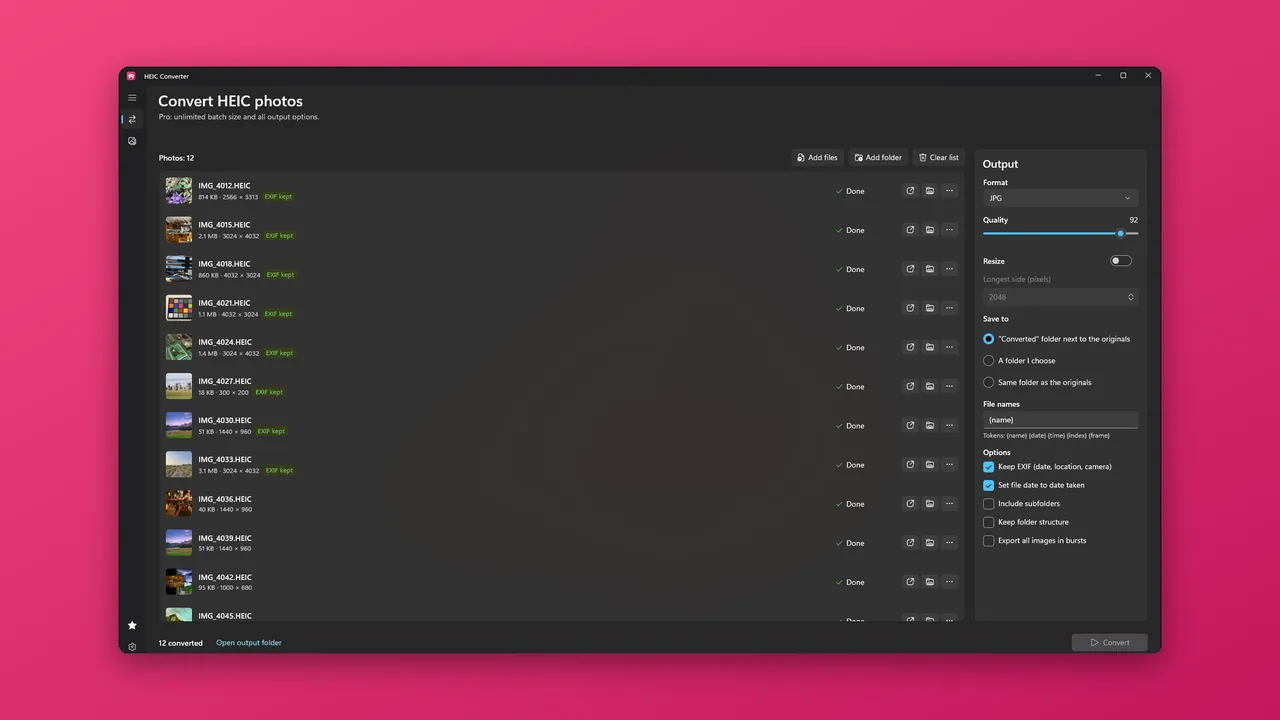
Live demo
See it work, right here.
Try it: from HEIC to JPG
Illustration, not a real conversion
Drag the handle. The same photo is shown on both sides; the blurred side stands for the file you have not opened yet.
Drop a file here or use the buttons. Nothing is read or uploaded; this is a simulation.
What it does
Small on purpose. Good at the job.
Just open them
View .heic, .heif and .hif files with a double-click
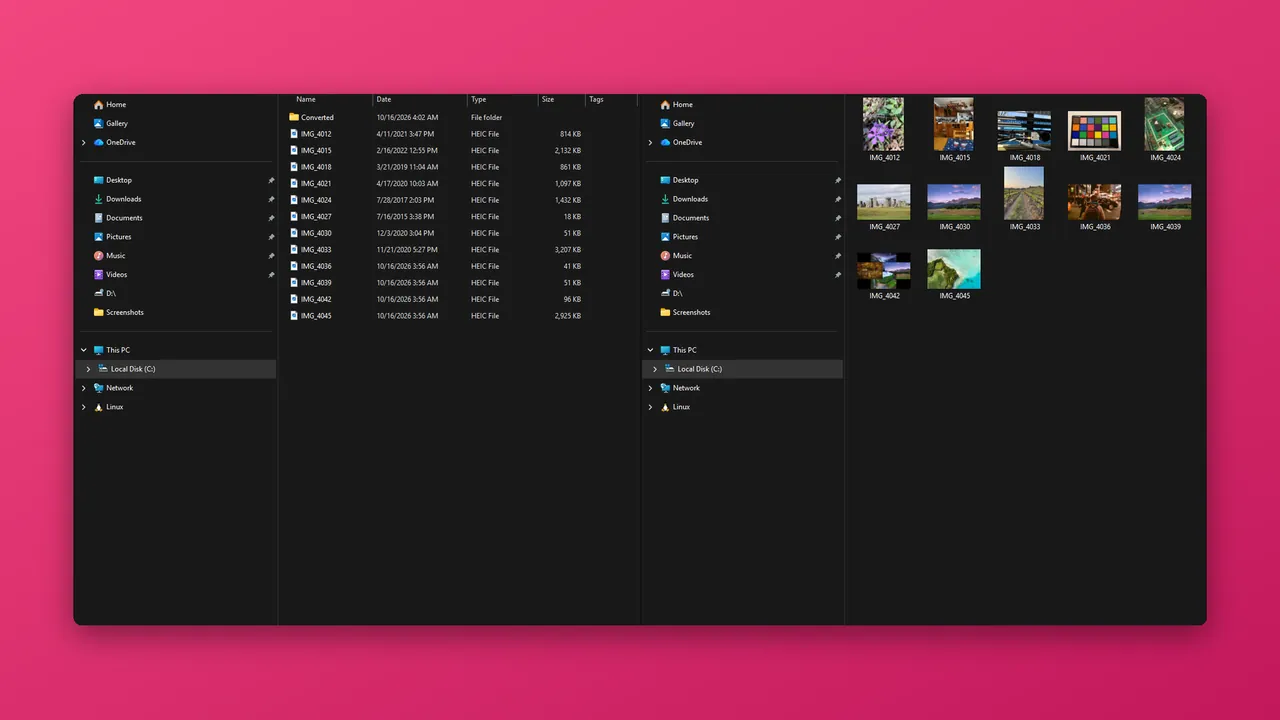
Convert, keep the details
Convert to JPG or PNG, keeping date, camera and location data
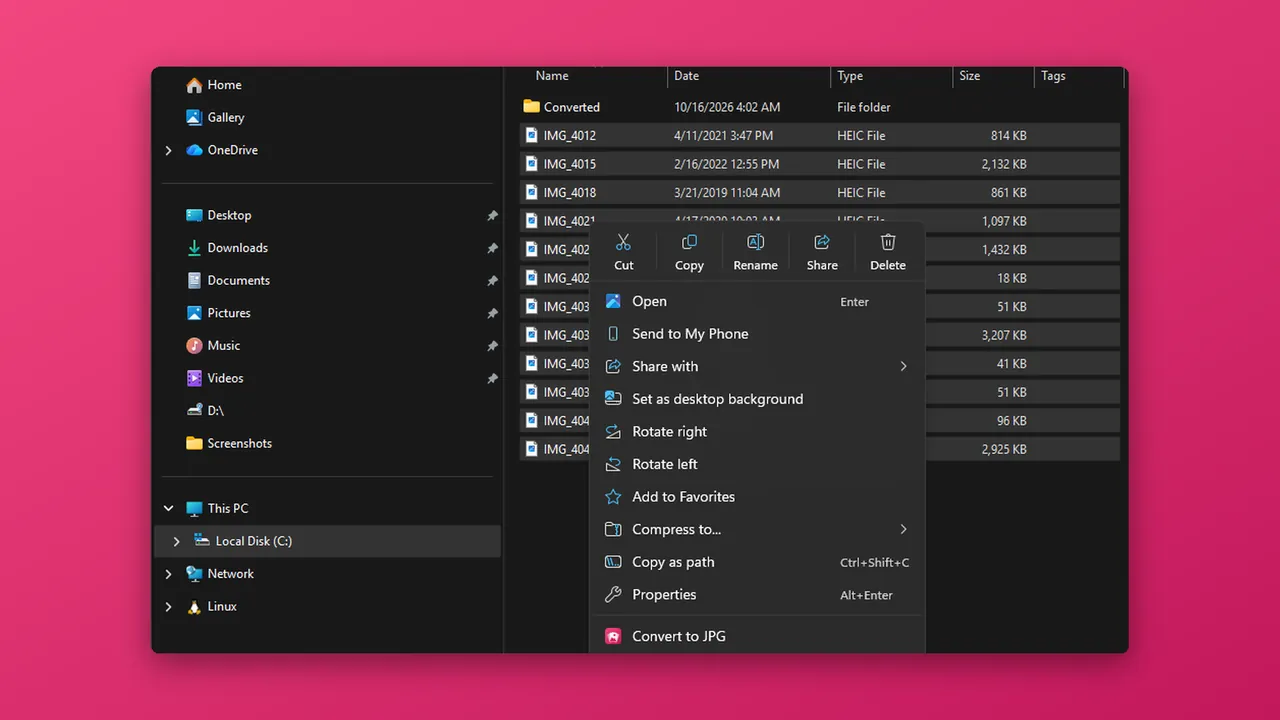
Built into File Explorer
Right-click convert in File Explorer; originals are never touched
Free vs Pro
Free to start. Pro if you need more.
| Feature | Free | Pro |
|---|---|---|
| View .heic, .heif and .hif files | Unlimited | Unlimited |
| Convert to JPG or PNG, keeping EXIF | ✓ | ✓ |
| Files per conversion batch | Up to 5 | Unlimited |
| Subfolders | — | ✓ |
| WebP, TIFF and BMP output | — | ✓ |
| Resize and rename | — | ✓ |
| Price | Free | $9.99 Lifetime Unlock or $2.99 7-Day Pass |
Pro is a one-time $9.99 Lifetime Unlock or a $2.99 7-Day Pass. No subscription. Prices are in US dollars and may vary by market. The Microsoft Store shows the price for your country before you buy.
FAQ
Questions, answered.
Is HEIC Converter free?
Are my photos uploaded anywhere?
Will it change my original photos?
What is kept when I convert?
Can I convert from File Explorer?
Do I need an account?
Does the app send any data?
More
HEIC Converter policies
Each app has its own privacy policy and terms. The links open in a new page on the app's own website.
Other HAYAH apps
 XLSX Editor
 Audio Converter
 EPUB Reader
 AI Chat