
Live demo
Pick a format. Watch it change.
Try it: pick a format
Illustration, no audio is processedField Recording.wavto .mp3
What it does
Small on purpose. Good at the job.
01
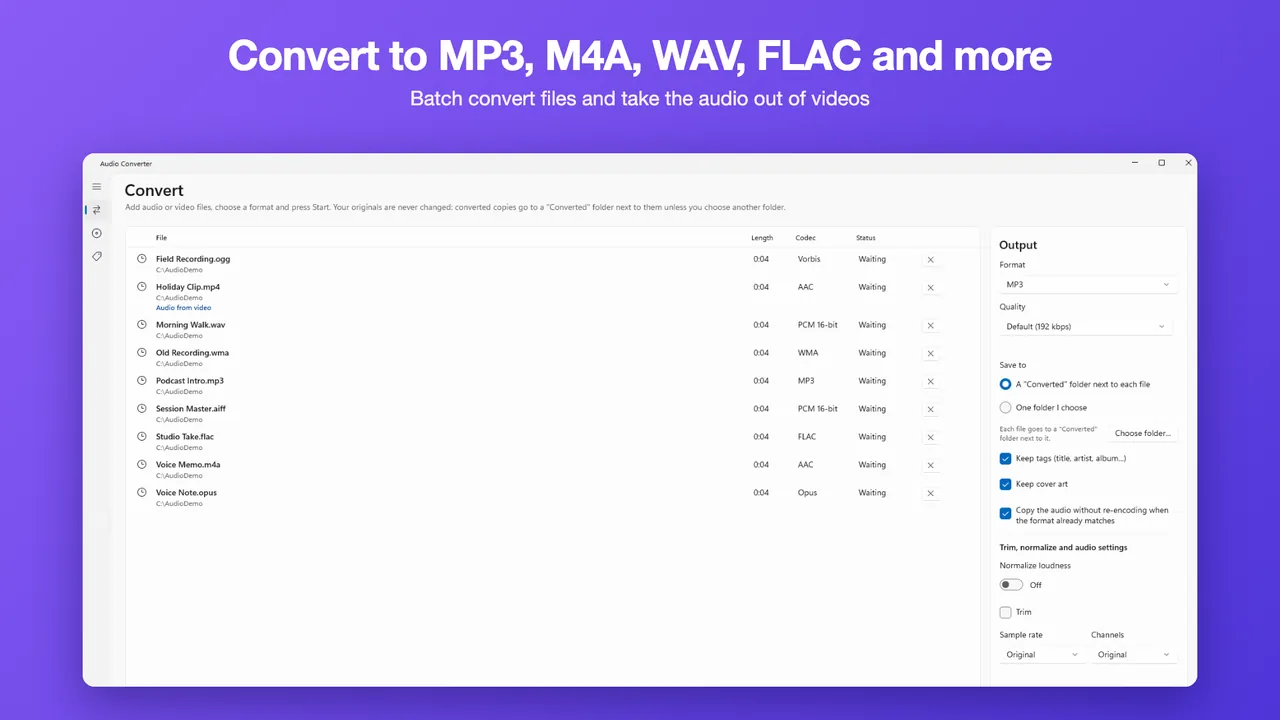
Five formats, in batches
MP3, M4A, WAV, FLAC and OGG output, with batch conversion
02
Soundtracks from video
Take audio from MP4, MOV, MKV, WebM and more
03
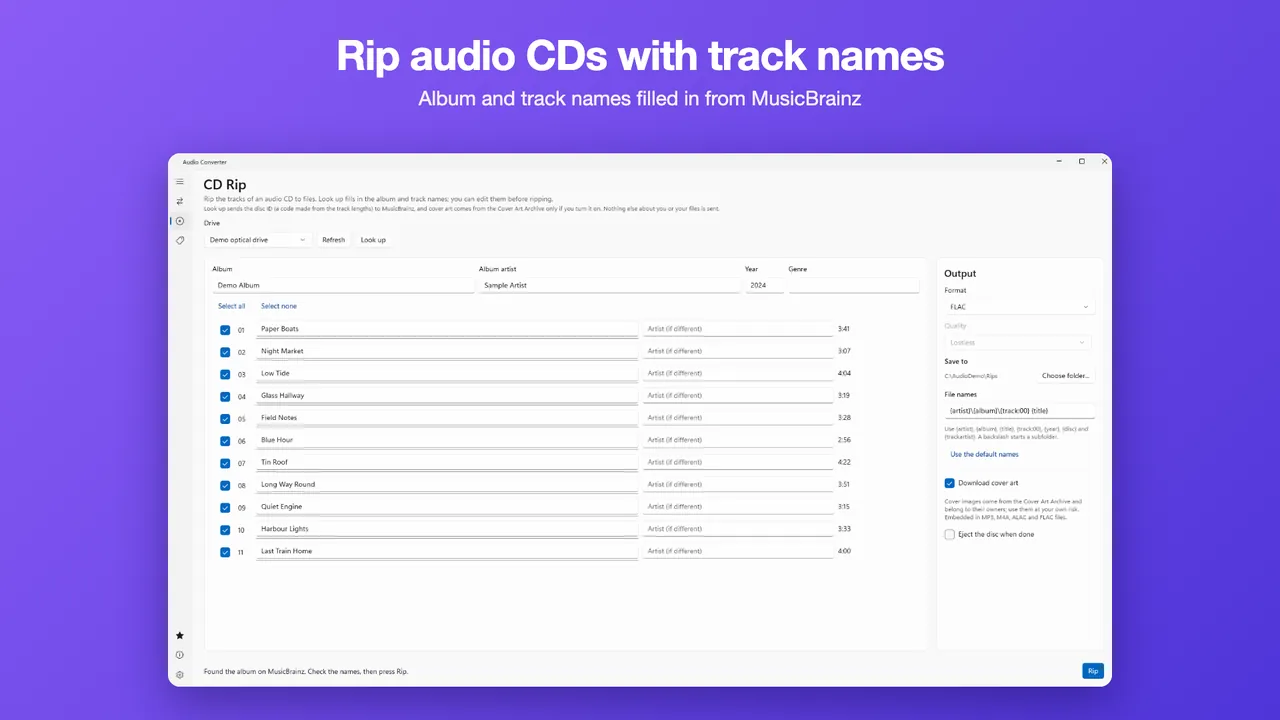
CD ripping
Rip audio CDs, with track names looked up on MusicBrainz
Free vs Pro
Free to start. Pro if you need more.
| Feature | Free | Pro |
|---|---|---|
| MP3, M4A, WAV, FLAC and OGG output | ✓ | ✓ |
| Audio from MP4, MOV, MKV, WebM and more | ✓ | ✓ |
| Rip audio CDs | ✓ | ✓ |
| Files at a time | 5 | No limit |
| Opus, ALAC, AIFF and WMA output | — | ✓ |
| Custom bitrate, sample rate and channels | — | ✓ |
| Trim and normalize | — | ✓ |
| Tag editor | — | ✓ |
| CD cover art | — | ✓ |
| Price | Free | $9.99 Lifetime Unlock or $2.99 7-Day Pass |
Pro is a one-time $9.99 Lifetime Unlock or a $2.99 7-Day Pass. No subscription. Prices are in US dollars and may vary by market. The Microsoft Store shows the price for your country before you buy.
FAQ
Questions, answered.
Is Audio Converter free?
Yes. It is free to download from the Microsoft Store. Free: 5 files at a time to the five main formats. Pro is a one-time $9.99 Lifetime Unlock or a $2.99 7-Day Pass, with no subscription.
Are my files uploaded anywhere?
No. Files are converted on your PC and never uploaded.
Which formats can I convert to?
MP3, M4A (AAC), WAV, FLAC and OGG, with batch conversion. Pro adds Opus, M4A (Apple Lossless), AIFF and WMA output.
Can I take the audio out of a video?
Yes. Audio Converter takes audio from MP4, MOV, MKV, WebM and more. It does not remove DRM: copy-protected files are refused.
Can it rip CDs?
Yes, with a CD or DVD drive. It rips audio CDs, with track names looked up on MusicBrainz; only the disc ID is sent for the lookup. Cover art is a Pro option.
Do I need an account?
No. None of the five HAYAH apps shows ads or asks you to create an account.
Does the app send any data?
The apps send anonymous usage events (which features were used, never your files) to help us fix and improve them. You can turn them off in Settings. Each app's privacy page lists what is sent.
More
Audio Converter policies
Each app has its own privacy policy and terms. The links open in a new page on the app's own website.
Other HAYAH apps
 HEIC Converter
 XLSX Editor
 EPUB Reader
 AI Chat