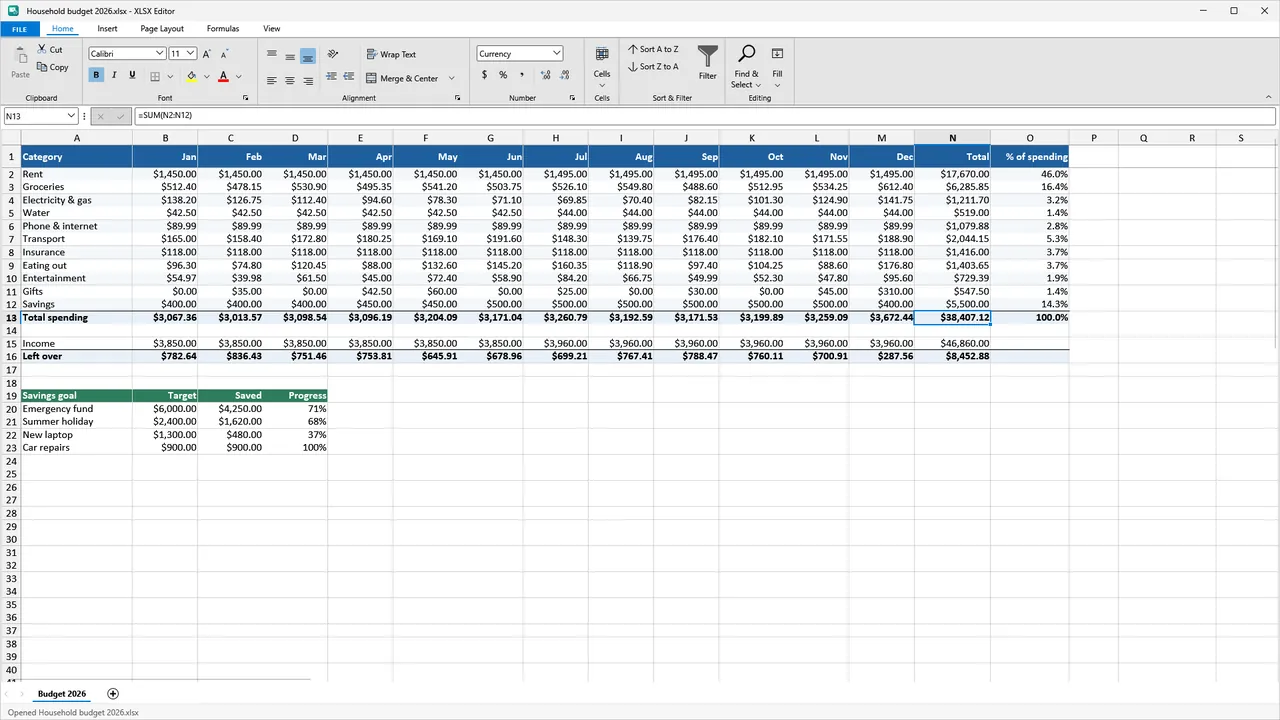
What Windows gives you
Windows does not include an app that opens XLSX spreadsheets. Your options are Microsoft Excel, which comes with Microsoft 365 and other Office editions, a free web version of Excel that needs a Microsoft account and an upload of your file, or a separate spreadsheet app. XLSX Editor from HAYAH is one of those apps. It runs on your PC and never uploads your files.
Open a spreadsheet with XLSX Editor
- Install XLSX Editor from the Microsoft Store with the button below.
- Open a file in any of these ways: double-click it in File Explorer after choosing XLSX Editor under Open with, drag it onto the window, or pick it from recent and pinned files.
- Password-protected workbooks open after you type the password.
It opens .xlsx, .xlsm, .xls and .xltx workbooks and .csv, .tsv and .txt data files.
Edit, print and save
- Edit cells, formulas, fonts, colors, borders, number formats, rows, columns and sheets.
- Sort, filter, find and replace, freeze panes, undo and redo.
- Print with a live preview: printer, copies, pages, paper size and orientation.
- Save as .xlsx, .xls or .csv.
- CSV import detects the separator and encoding, shows a preview and keeps leading zeros and long ID numbers.
- A recovery copy of unsaved changes is saved automatically, and offered back if the app or your PC stops unexpectedly.
What it does not do
XLSX Editor is made for everyday spreadsheets such as budgets, time sheets, invoices, lists and data exports. It is not Microsoft Excel and is not affiliated with Microsoft. It does not run macros (an .xlsm file keeps its macros when you save it), and it does not create charts, pivot tables or conditional formatting. It cannot open .xlsb, .ods or very old Excel 5.0/95 files.
Free and Pro
Free lets you open, edit and print, save CSV without limits, and save up to 3 different workbooks a day as .xlsx or .xls. If you reach the limit you can still save a CSV copy, and your edits are never thrown away. Pro, a one-time $19.99 purchase with no subscription, removes the daily limit and adds PDF export, full page setup and the dark theme.
Questions
Do I need Microsoft Office?
Is XLSX Editor free?
Does it support charts or macros?
Are my files uploaded?
What if my PC crashes while I edit?
More guides
Prices are in US dollars and may vary by market. The Microsoft Store shows the price for your country before you buy. Microsoft, Windows, Excel and Microsoft Store are trademarks of Microsoft; HAYAH is not affiliated with Microsoft or Apple.